4K YouTube to MP3 Review – Audio Extraction Done Right
Clean audio, smart playlists, and zero ads — two weeks of real-world usage on Windows
Our 4K YouTube to MP3 review covers version 26.1.2, highlighting what the free version does, where it limits you, and who should upgrade.
Introduction
Long flight ahead, no Wi‑Fi, and the one podcast episode you want is trapped inside a YouTube tab. You don’t need the video file — just a clean, tagged MP3 that plays offline. That’s exactly where 4K YouTube to MP3 steps in.
This 4K YouTube to MP3 review covers the latest version 26.1.2, built by Open Media LLC. It rips audio from YouTube, SoundCloud, TikTok, Bilibili, and more without ever touching the video stream. According to DataReportal’s 2026 figures, the average YouTube session now runs over 14 minutes — a lot of people are looking for offline audio. We’ll walk through the free tier’s real limits, what the paid upgrades unlock, and whether this tool earns its keep.
Overview
4K YouTube to MP3 is a dedicated desktop audio extractor. It’s not a video downloader that converts MP3 as an afterthought. You paste a single YouTube link, a playlist, or even a channel URL, and the software pulls the highest-quality audio stream directly from YouTube’s servers. The output saves as MP3, M4A, or OGG — fully tagged with artwork embedded.
The tool first appeared in 2017 and receives frequent updates to stay compatible with YouTube’s backend changes. Version 26.1.2, launched in early 2026, focuses on parsing stability and better playlist handling. It runs on Windows, macOS, and Linux (all 64‑bit).
🔥 You May Also Like: n-Track Studio Suite 10.1.0.8710 x64 PC Software
Description
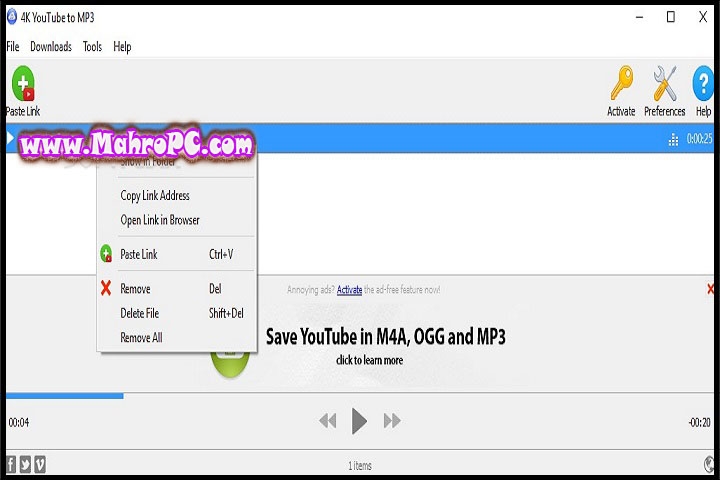
The workflow is simple: copy a link, and the clipboard monitor immediately catches it. The software then identifies the best audio stream (usually 128kbps AAC) and downloads only that data. FFmpeg handles local transcoding if you’ve chosen MP3, so no temporary video file ever hits your disk.
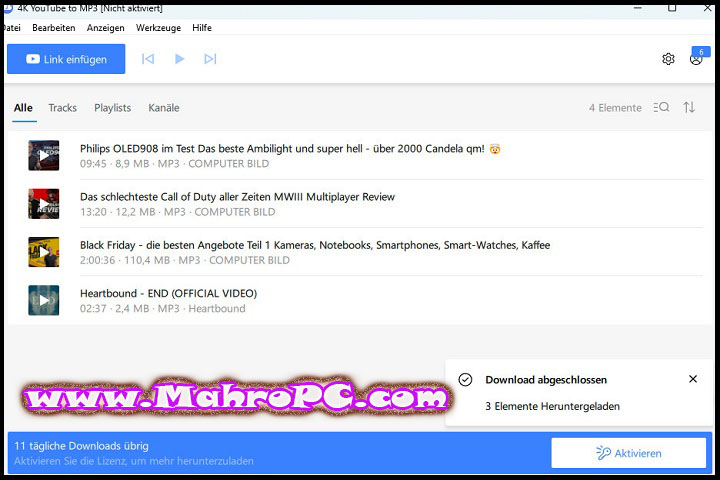
In this 4K YouTube to MP3 review, the free version’s limits became clear quickly. You get around 15 single downloads per day, and playlists are capped at 10 tracks. For anyone archiving an entire channel or ripping a 50‑episode podcast series, that barrier appears fast. The Personal license (€15 lifetime, up to 3 devices) removes all caps and unlocks unlimited playlist and channel downloads. The Pro tier (€36 lifetime) adds commercial usage rights, unlimited simultaneous downloads, and AI audio cleanup tools like noise removal and vocal isolation.
A key point that often gets missed: YouTube only serves higher‑bitrate audio (256kbps) to Premium subscribers. The software can output a 320kbps MP3, but it won’t magically add missing frequencies — it simply prevents further quality loss.

🔥 You May Also Like: Edge Remover 17.10 PC Software
Key Features
Bulk Playlist and Channel Extraction
Paste a playlist URL and every video queues up automatically. On the paid Personal or Pro license, you get unlimited simultaneous downloads. During one test with a 30‑track playlist, all files were properly named and tagged — no manual fixes needed.
Multi‑Platform Support
Despite its name, the tool also extracts audio from Vimeo, SoundCloud, Twitch, Facebook, Bilibili, and Flickr. The parsing engine handles most platforms uniformly once an audio stream is detected.
In‑App YouTube Browser
A built‑in browser lets you sign into YouTube directly inside the app. This unlocks age‑restricted videos and, for Premium members, the higher 256kbps audio tier.
AI Audio Studio (Pro Only)
Exclusive to the Pro tier, the AI Audio Studio applies machine learning for vocal isolation, noise reduction, and echo removal. If you’re saving lectures or live recordings, this alone can justify the upgrade.
🔥 You May Also Like: Fast Duplicate File Finder Pro 6.5.0.3 PC Software
How to Install
-
Download the ~251 MB installer from the official 4K Download website 4kdownload.com.
-
[Insert real screenshot: official download page showing version 26.1.2]
-
Run the installer. If Windows SmartScreen warns, check the digital signature belongs to Open Media LLC, then click “Run anyway.”
-
Follow the default setup wizard — installation completes in under two minutes.
-
[Insert real screenshot: setup wizard in progress]
-
Launch the program. The interface is clean, with a prominent “Paste Link” button.
-
[Insert real screenshot: main application window]
-
Go to Preferences and set your preferred output format (MP3 320kbps is the usual sweet spot). Sign into YouTube here if you’re a Premium subscriber.
Tip: A brand‑new YouTube video may not parse immediately. Wait an hour or so for the full audio stream metadata to become available.
System Requirements
| Component | Minimum | Recommended |
|---|---|---|
| OS | Windows 7 / macOS 10.13 / Ubuntu 20.04 (64‑bit only) | Windows 11 / macOS 14 / Ubuntu 24.04 |
| CPU | 1 GHz | 2 GHz dual‑core |
| RAM | 2 GB | 4 GB+ |
| Storage | 300 MB for installation | 1 GB+ for audio files |
| Internet | Broadband | 10 Mbps+ for faster downloads |
Download Information
-
Current Version: 26.1.2
-
File Size: 251 MB
-
Release Date: Early 2026
-
Download Format: .exe / .dmg / .deb (depending on OS)
-
Operating System: Windows 7+, macOS 10.13+, Ubuntu 20.04+ (all 64‑bit)
Important: Only download from 4kdownload.com. Right‑click the installer, go to Properties > Digital Signatures, and confirm it’s signed by Open Media LLC. Scan with antivirus before running. Avoid cracked or repackaged versions — they often block updates and hide malware.
FAQ
How many tracks can I actually extract with the free version?
About 15 individual tracks per day. Playlists stop at 10 songs. Counters reset daily, so casual users rarely hit the wall. Power users will run into it on the first session.
Is the output truly 320kbps quality?
The MP3 file can be encoded at 320kbps, but YouTube's native audio is typically 128kbps AAC. A higher output bitrate avoids extra compression loss, but it can't recover audio data that wasn't there. Only YouTube Premium subscribers get the 256kbps source stream through the in‑app login.
Why did my playlist stop after exactly 10 tracks?
That's the free tier's playlist cap. Upgrading to Personal or Pro removes the restriction so you can grab full playlists and channels.
What happens when YouTube changes its backend?
Open Media usually releases a compatibility update within 24 to 48 hours. The built‑in updater lets you apply the fix with one click.
4K YouTube to MP3 Review

A dedicated desktop audio extractor that pulls high-quality MP3, M4A, or OGG streams from YouTube, SoundCloud, and TikTok with version 26.1.2 updates.
Price Currency: USD
Operating System: Windows 7+, macOS 10.13+, Ubuntu 20.04+
Application Category: Multimedia
4.5