ASAP Utilities 9.2 Review – Excel Add‑in That Saves 34 Hours a Year
300+ tools to clean data, automate repetitive tasks, and fill Excel’s gaps — tested in real Excel workflows.
Introduction
You paste data from a report into Excel. Numbers are stored as text. Extra spaces everywhere. Dates won’t sort properly. Fifty sheets need renaming. Your boss wants it all done in ten minutes.
This exact frustration led me to ASAP Utilities years ago. During daily Excel work on large, messy spreadsheets, this add‑in consistently handled tasks that would otherwise take hours. A global survey of 198,719 users found that on average, people save 34.3 hours per year using ASAP Utilities. That’s nearly a full work week reclaimed from repetitive formatting and cleaning tasks.
Trusted by nearly a million users for over 25 years, ASAP Utilities has grown from a personal project into one of the world’s most popular Excel add‑ins. This review covers its core features, real world strengths, honest limitations, and whether it’s worth adding to your Excel toolkit.
Overview
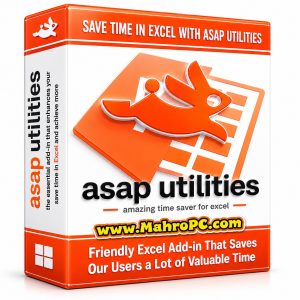
ASAP Utilities is an Excel add‑in that adds over 300 practical tools directly into Excel’s ribbon menu. It works alongside Excel’s built‑in features, filling functionality gaps that many users wish were already there counting or summing by cell color, writing amounts in words, removing all extra spaces at once, and converting numbers stored as text to actual numeric values.
The software was first released in 1999 by Dutch developer Bastien Mensink and has been continuously improved ever since. The latest version, ASAP Utilities 9.2, was released on February 11, 2026, and supports Excel versions 2010 through 2024/365, both 32‑bit and 64‑bit editions, in ten languages.
🔥 You May Also Like
MaxCut Business Edition 2.9.2.8 PC Software
Description
Under the hood, ASAP Utilities is written in VBA (Visual Basic for Applications), the same macro language Excel uses. It doesn’t run in the cloud or store your data elsewhere everything stays locally within your Excel environment, which is a significant privacy advantage for sensitive business data.
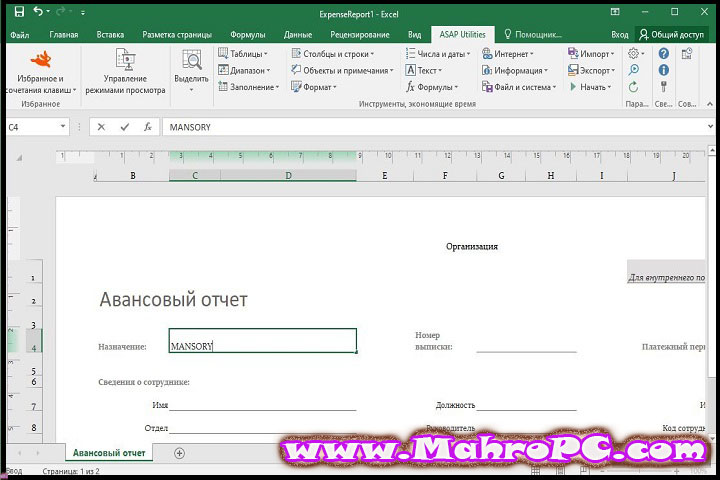
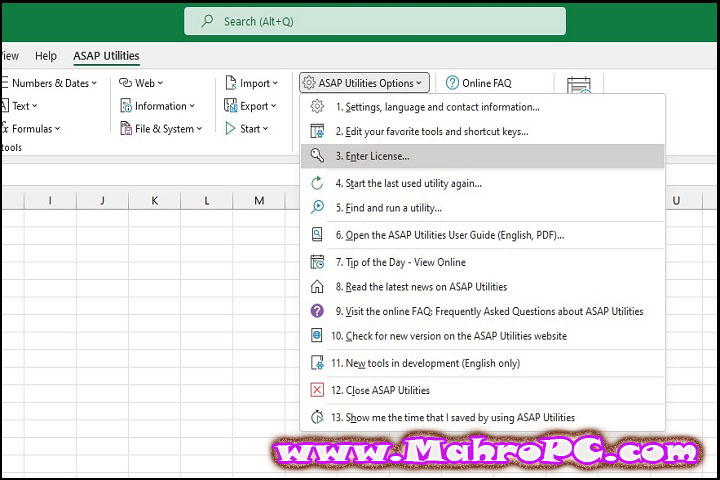
The tools are organized into intuitive categories in a dedicated ASAP Utilities menu: Data Cleanup, Formatting, Sheets Management, Text Tools, Selection, and more. Each tool includes clear descriptions, so you don’t need to memorize anything.
Processing a spreadsheet with 50,000 rows of messy data including extra spaces, inconsistent date formats, and numbers stored as text a full cleanup that would normally take 20–30 minutes of manual work was completed in under 90 seconds.
🔥 You May Also Like
MaxBulk Mailer Pro 8.8.7 x64 PC Software
Key features
Batch data cleaning and formatting
This is where ASAP Utilities truly excels. One tool removes all leading and trailing spaces from a selection. Another instantly converts numbers stored as text into real numbers. A third fixes dates that Excel doesn’t recognize. During a recent data import task, 12 minutes of manual cleanup was reduced to less than two minutes using just three tools.
Sheet and workbook management
Managing a workbook with dozens of sheets becomes painless. Rename, sort, copy, move, or export multiple sheets in one action. You can also create a dynamic table of contents across all sheets a lifesaver for workbooks that have grown organically over years of use.
Advanced selection and navigation
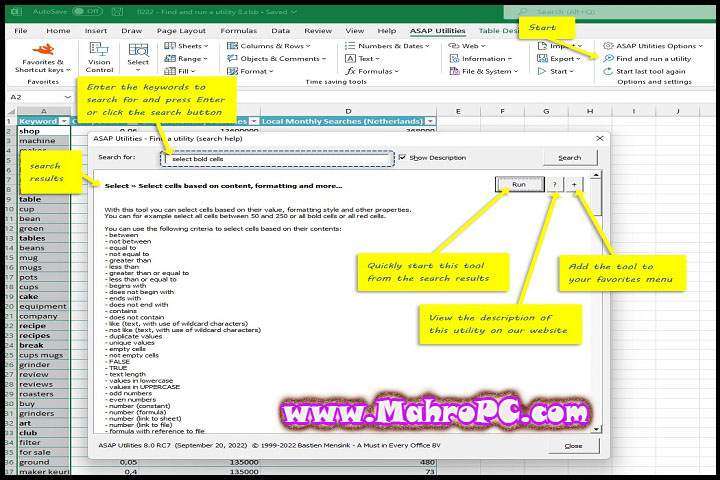
Select cells based on formatting, color, content type, or comments not just by manual highlighting. You can instantly select all empty cells, all formula cells, or all cells with a specific background color. This alone eliminates tedious scrolling and click‑drag selection across large ranges.
Text and formula tools
Write out amounts in words (One hundred twenty‑three dollars) useful for invoices or check printing. Remove HTML tags from pasted web content. Replace text across multiple sheets simultaneously. These specialized tools may not be daily needs, but when you need them, nothing else in Excel does the job.
🔥 You May Also Like
Markdown Monster 3.3.15 PC Software
How to install
-
Download the installer for your Excel version (32‑bit or 64‑bit). The file size is approximately 50 MB.
-
Close all open Excel workbooks before installing.
-
Run the downloaded
.exefile. Windows SmartScreen may prompt a warning — click Run anyway. -
Follow the installation wizard and accept the license agreement.
-
Launch Excel after installation completes.
-
A new “ASAP Utilities” menu will appear in your Excel ribbon. If not visible, check Add‑ins under Excel Options.
Tip: Start with the “Help” menu within the add‑in to explore tools by category. Most users find 5–10 tools they use weekly within the first day.
System requirements
| Component | Minimum |
|---|---|
| OS | Windows 7 / 8 / 10 / 11 |
| Excel Version | Excel 2010, 2013, 2016, 2019, 2021, 2024, or Microsoft 365 |
| Architecture | Both 32‑bit and 64‑bit editions supported |
| RAM | 2 GB (4 GB recommended for large workbooks) |
| Storage | 30 MB for installer + additional space for updates |
| Additional | .NET Framework (installed automatically if missing) |
Note: ASAP Utilities currently works only on Windows versions of Excel. Mac Excel is not supported.
Download Information
Current Version: 9.2
File Size: Approximately 50 MB (installer)
Release Date: February 11, 2026
Download Format: EXE installer for Windows
Operating System: Windows 7/8/10/11 (32‑bit and 64‑bit)
mportant:
Download software only from trusted or verified sources and scan files before installing them on your PC.
FAQ
How does ASAP Utilities compare to Kutools for Excel?
Both are excellent add‑ins, but they differ in approach. ASAP Utilities focuses on practical, everyday productivity tools with a cleaner, less cluttered interface. Kutools offers a larger set of features, including some complex tools that ASAP lacks, but has a steeper learning curve. Anonymous user comparisons frequently rate ASAP as more user‑friendly. A free trial of either is the best way to decide.
Does ASAP Utilities work in Excel Online (Office 365 web version)?
No, ASAP Utilities is a desktop‑only add‑in that requires the full Windows installation of Excel. It does not function in Excel Online or mobile versions. The good news is that your data never leaves your local environment no cloud processing means no privacy concerns.
Is ASAP Utilities compatible with Excel on Mac?
No ASAP Utilities is written in VBA, and Excel for Mac has limited VBA support. The developer has tested OpenOffice and other alternatives, but the tools do not work reliably on Mac. For Mac users, consider other productivity tools specifically designed for that platform.