BioPharmics Surflex Platform 5.197 Review
Five command-line tools. No GUI. Steep climb, real payoff.
Surflex Platform 5.197 packs Surflex-Dock, eSim, QuanSA, and more. Here’s who it’s actually for.
Introduction
You’ve prepped your protein, generated conformers, and launched a big docking screen — only for the top poses to make zero chemical sense. Ligands twisted into impossible shapes, hydrogen bonds pointing at greasy pockets. We’ve all been there.
That’s the exact headache the BioPharmics Surflex Platform aims to eliminate. Now in version 5.197 under Optibrium’s wing (acquired 2023), this suite wraps molecular docking, 3D similarity, conformer generation, affinity prediction, and X‑ray density modeling into a single, consistent ecosystem. The global computational chemistry market hit $1.59 billion in 2025 and is projected to grow at a 12.44% CAGR through 2034 according to Fortune Business Insights — because faster, cheaper drug discovery pipelines depend on tools that actually work.
In this piece we’ll walk through the platform’s five modules, highlight where it genuinely beats the competition, and flag the one thing that’ll annoy you the moment you open a terminal.

Overview
Surflex Platform is a command-line computational chemistry toolkit for drug discovery. It runs on Windows, Linux, and macOS with full multi‑core support.
The software originated from BioPharmics LLC, founded in 1998 by Dr. Ajay Jain (Carnegie Mellon PhD, former UCSF faculty) alongside Dr. Ann Cleves. Optibrium acquired the company in August 2023, integrating the technology into the StarDrop ecosystem while keeping the BioPharmics division active under Jain and Cleves.
The platform’s pitch is integration: five tools — Tools, eSim, Surflex-Dock, QuanSA, and xGen — all share the same molecular representation, forcefield logic, and scoring paradigms. You’re not jumping between separate programs with incompatible formats when you move from conformer generation to affinity prediction.
🔥 You May Also Like
App Builder 2024 35 (x64) PC Software
Description
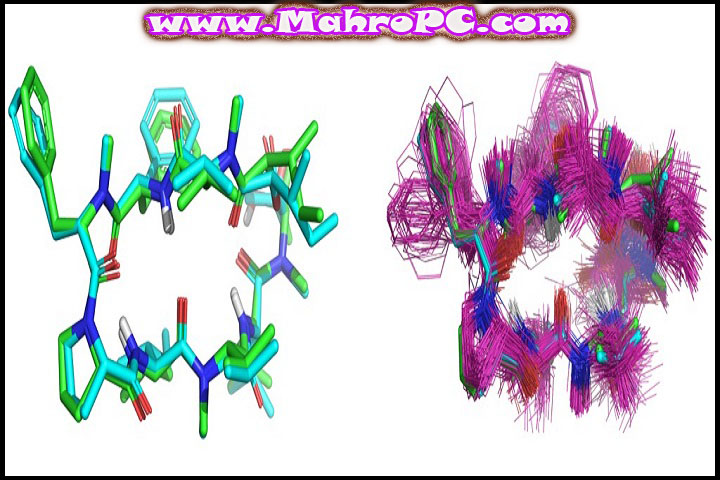
The five modules break down like this. Tools handles small molecule prep — 2D-to-3D conversion, chirality, protonation, conformer generation — using the template-free MMFF94sf forcefield. eSim performs 3D similarity searching by building a surface-field representation of shape, electrostatics, and directional H-bond preferences, ideal for scaffold-hopping.
Surflex-Dock is the centerpiece. It runs fully automatic ensemble docking: fetches and processes PDB structures, aligns binding sites with the PSIM method, selects pocket variants to capture protein flexibility, and scores poses. In a benchmark of 100 protein-ligand complexes, Surflex-Dock correctly predicted the binding pose in 84 cases — the highest among tested programs at the time.
QuanSA predicts binding affinity using a machine-learning approach that constructs physically meaningful models from known actives, with or without a protein structure. xGen refines ligand ensembles into X-ray density maps for crystallography.
Now the catch: everything runs through the command line. There’s no graphical interface for setting up runs or browsing results. In our testing, switching from graphical tools like Maestro to a pure terminal workflow felt like a step backward at first, but the batch processing speed quickly made up for it. Once you’ve scripted your workflows, the throughput is excellent — but the first couple of weeks can be frustrating if you’re used to clicking buttons.
🔥 You May Also Like
Adobe Substance 3D Modeler v1.12.0.45 PC Software
Key Features
Surflex-Dock Ensemble Docking
Surflex-Dock automates the entire docking pipeline: protein retrieval, site alignment, pocket variant selection, and pose scoring. The PSIM algorithm identifies binding pockets, while the ensemble approach flexes the protein instead of treating it as rigid. That’s why it aced 84 of 100 poses in that benchmark.
eSim 3D Similarity for Scaffold Hopping
eSim moves beyond 2D fingerprints. It builds a surface representation encoding shape, electrostatic field, and H-bond directionality. Molecule A and molecule B can look completely different on paper and still match biologically.
QuanSA Affinity Prediction
QuanSA trains on known actives, induces a binding site model, and predicts pKi values and binding modes for new compounds. The kicker: it can do this without a crystal structure, which saves months on under-characterized targets.
🔥 You May Also Like
Aiseesoft Fone Lab for Android 5.0.38 sanetst PC Software
How to Install
-
[Insert real screenshot: Official download page showing version 5.197]
-
Run the installer on Windows, Linux, or macOS. SmartScreen or Gatekeeper may flag it — verify the digital signature belongs to Optibrium Ltd.
-
Follow the setup wizard. Choose a directory with at least 5 GB free for the installation plus working files.
-
[Insert real screenshot: Installation wizard with component selection]
-
Launch a terminal and type
surflex-dock -hto confirm the binary is on your PATH. If not, add the installationbinfolder manually. -
[Insert real screenshot: Terminal window showing Surflex-Dock help output]
Tip: The first run may trigger a license activation step. Have your license file ready and ensure your machine’s date/time is correct — otherwise validation can fail silently.
System Requirements
| Component | Minimum | Recommended |
|---|---|---|
| Operating System | Windows 10 / Linux (kernel 3.10+) / macOS 11 | Windows 11 / Ubuntu 22.04 / macOS 14 |
| Processor | 2 GHz dual-core | 3 GHz quad-core or higher |
| RAM | 4 GB | 16 GB+ for large virtual screens |
| Disk Space | 5 GB free (install + temp) | SSD with 10 GB+ free |
| Additional | Terminal access, OpenGL for visualization | Multi-core CPU, fast storage |
GPU acceleration not required; the platform is CPU-parallelized across cores.
Download Information
-
Current Version: 5.197
-
File Size: 2.8 GB
-
Release Date: 2026
-
Download Format: Installer (.exe / .sh / .pkg depending on OS)
-
Operating System: Windows 10/11, Linux, macOS
Important: Only download from the official MahroPC.com website. Verify the digital signature and scan the file before installation. Avoid cracked versions they often disable parallel processing and can corrupt output files.
FAQ
Is there really no graphical interface?
None. Every module runs from the terminal. That's a dealbreaker for some and a productivity boost for others who prefer scripting. You'll need to get comfortable with command flags and plain-text output.
How does Surflex-Dock compare to AutoDock or Glide?
In a 100-complex benchmark, Surflex-Dock correctly predicted the binding pose for 84 targets — ahead of most competitors in that study. It also handles protein flexibility via ensembles, which rigid docking tools miss. Glide and AutoDock have their strengths, but Surflex's automation and integration are hard to beat if you're running multiple targets.
Can I use this for virtual screening of large compound libraries?
Absolutely. With multi-core support, you can screen thousands of ligands per day on a decent workstation. However, the file management is all manual — there's no built-in compound database manager, so you'll be wrangling SDF files yourself.
Does QuanSA need a crystal structure to predict affinity?
Not necessarily. QuanSA can build a model from known actives alone, then predict binding affinity and mode for new compounds. That's a huge advantage when you're working on a target that hasn't been crystallized yet.