CCleaner Professional Plus 6.40 Review – Is It Worth It in 2026?
Deep-cleaning meets hardware smarts and it now covers three devices.
CCleaner Professional Plus 6.40 combines cleaning, recovery, and diagnostics. Is the full bundle worth it in 2026?
Introduction
Your PC feels sluggish. You run Storage Sense, but it barely frees up 200 MB. Meanwhile, three different browsers have cached gigabytes of data, old Windows updates sit in a temp folder you can’t find, and a program you uninstalled months ago left registry entries scattered everywhere. Windows 11’s built-in tools just don’t dig that deep.
CCleaner has been the go-to solution for this mess since 2004. But in 2026, with Windows’ own cleanup getting better and the controversial CCleaner 7.0 driving users back to older versions, the question isn’t whether CCleaner works it’s whether the Professional Plus 6.40 bundle still makes sense.
Overview
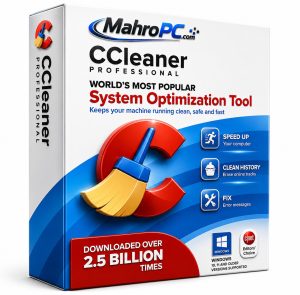
CCleaner Professional Plus is a system maintenance bundle from Piriform, a company founded in London in 2004 and now owned by Gen Digital. The Plus edition combines four tools under one license: CCleaner Professional, Recuva Professional, Speccy Professional, and Defraggler.
The license covers up to three devices across Windows, macOS, and Android . Version 6.40, released in April 2026, was mainly a maintenance update fixing connection errors for Windows 7 and 8 users . It also became the fallback choice for users frustrated with the redesigned CCleaner 7.0.
Searchable phrase: Overview of CCleaner Professional Plus features and capabilities
🔥You May Also Like
PassFab Duplicate File Deleter 3.0.0.28 (x64) PC Software
Description
CCleaner Professional Plus 6.40 works by scanning user-defined locations browser caches, temporary directories, application leftovers, and registry hives then removing flagged items. The Professional tier adds scheduled cleaning, real-time junk monitoring, automatic updates, and a Software Updater that tracks outdated applications .
Recuva handles deleted file recovery. Speccy pulls hardware telemetry CPU temperature, RAM timings, SMART drive data into a single panel. Defraggler adds per-file disk defragmentation. Note that Defraggler no longer has a separate Pro version; the free version already does everything Pro ever did .
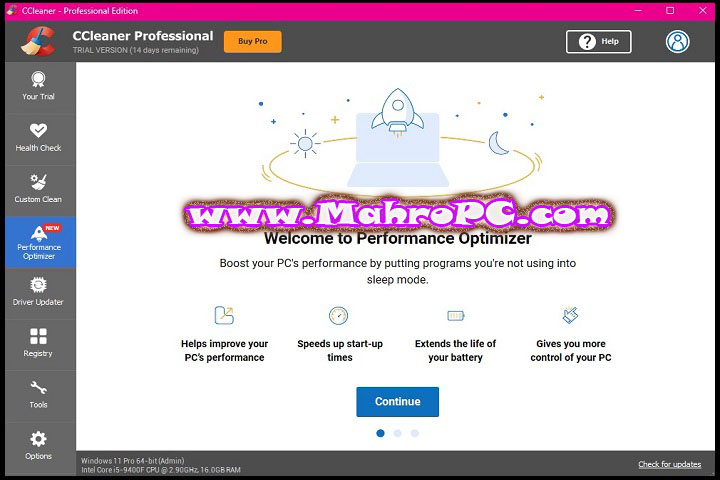
The real differentiator is CCleaner Professional itself. Its Performance Optimizer identifies background programs consuming resources and puts them to sleep. According to Piriform’s published estimates, this can deliver up to 34% speed improvement and roughly 30% longer battery life on laptops .
Searchable phrase: Detailed description of CCleaner Professional Plus functionality
🔥You May Also Like
One Click Album 2024 v4.1.0.0 PC Software
How to Install
-
Close all browsers and running applications before starting.
-
Run the installer. Decline additional software offers during setup.
-
Choose Custom Install if you want to skip specific bundled components.
-
Accept the license and choose an installation folder.
-
Click Install. The process takes under a minute.
-
Launch CCleaner and enter your Professional Plus license key to activate all tools.
-
On first run, review the cleaning checklist carefully—default settings clear browser cookies, which logs you out of all websites .
Screenshot placeholder: CCleaner Professional Plus 6.40 installer component selection screen.
Tip: Uncheck the “Run CCleaner when Windows starts” option during setup. The background monitoring on Windows 10/11 adds little value and consumes resources .
Warning: The default cleaning configuration removes all browser cookies. You’ll lose active logins unless you configure cookie exceptions first. Spend two minutes in settings before hitting “Run Cleaner” .
Searchable phrase: Step-by-step installation guide for CCleaner Professional Plus
🔥You May Also Like
Nitro PDF Pro 14.27.2.0 (x64) Enterprise PC Software
Key Features
Custom Clean with Granular Control
Version 6.40 lets you check and uncheck individual cleaning categories. Unlike v7.0’s simplified interface, you can see exactly which cookies, caches, and temp files will be removed. The two-column cookie manager lets you keep login cookies for sites you use while clearing tracking cookies . Getting this wrong means logging back into every account. The detail matters.
Performance Optimizer
This tool identifies programs running in the background and puts them into a sleep state. On an older laptop with limited RAM, this freed roughly 800 MB of memory. Piriform claims up to 34% speed improvement. That’s optimistic for most users. But on bloated systems with multiple launchers and updaters running, the difference is noticeable.
Driver and Software Updater
The Driver Updater uses Portal Matching to find compatible drivers even when manufacturers drop support . For a six-year-old desktop, it found updated audio and chipset drivers that Windows Update missed. The Software Updater works across installed applications browsers, media players, PDF readers and offers one-click batch updates. Useful, but Windows Winget now handles much of this for free on Windows 11 .
Bundled Tools—Recuva, Speccy, Defraggler
Recuva Professional recovers deleted files from hard drives and USB sticks. The deep scan on a formatted SD card recovered most photos. Speccy displays CPU temperature, RAM configuration, and SMART disk health in one panel.
Searchable phrase: Key features of CCleaner Professional Plus you should know
System Requirements
| Requirement | Minimum | Recommended |
|---|---|---|
| OS | Windows 7 SP1 | Windows 10/11 (64-bit) |
| CPU | 1 GHz single-core | 2 GHz dual-core |
| RAM | 1 GB | 4 GB |
| Storage | 200 MB | 600 MB on SSD |
| Additional | .NET Framework 4.5 | Internet for driver/software updates |
CCleaner Professional Plus supports Windows 7 through 11. Speccy and Recuva are Windows-only. The CCleaner component also runs on macOS and Android under the same license .
Searchable phrase: System requirements for CCleaner Professional Plus on Windows
Download Information
-
Current Version: 6.40.11562
-
File Size: 116 MB
-
Release Date: April 16, 2026
-
Download Format: .exe (Windows installer)
-
Operating System: Windows 7/8/8.1/10/11 (64-bit)
Important: Download CCleaner only from the official website or authorized partners. Microsoft classifies CCleaner as a PUA (Potentially Unwanted Application). Avoid cracked versions they frequently contain malware. Third-party download sites may bundle unwanted software with the installe
FAQ
Why do some users prefer CCleaner 6.40 over version 7.0?
Version 7.0 redesigned the interface and removed the two-column cookie manager. The cookie manager in 7.0 forces an all-or-nothing approach to Google cookies you accept all 30 or clear all of them. Some users now keep 6.40 installed solely for cookie management and use 7.0 for everything else .
Do I actually need Professional Plus, or is the free version enough?
For most users, CCleaner Free handles essential cleanup fine . Professional adds automation, scheduled cleaning, and the Driver/Software Updater. Professional Plus bundles Recuva and Speccy, but their free versions are functionally identical—Pro mainly adds priority support . The Plus license covering three devices is the main advantage if you manage multiple machines .
Can CCleaner's registry cleaner cause problems on Windows 11?
It can. Modern Windows versions handle registry maintenance well on their own. Aggressive registry cleaning may remove entries still referenced by installed software. Create a system restore point before running registry cleanup. Most users can skip it entirely without any performance impact .